Shopify native is enough for
Signed-in refund returns
- Customer-account return requests
- Basic merchant review and refund handling
- Stores that do not need an exchange request flow
Free guest returns and exchanges
Customers find guest or legacy orders with their order number and checkout email, request the replacement they want, and stay in one workflow through inspection and resolution. Every current feature is free, with no card or trial.
The reason to add Opus
Opus does not replace Shopify. It gives customers and staff a structured path for the cases that otherwise become a support thread.
Test the Opus differenceShopify native is enough for
Opus adds
Interactive synthetic request
This demo uses fictional order data. Nothing is submitted to a store, and no customer information is collected.
Sample request #1042
The shopper found order #1042 using the checkout email and selected a Large instead of a Medium.
Before you install
A new app should be easy to evaluate and easy to remove. These are the practical tradeoffs, stated before Opus touches a store.
Ask a pre-install questionCost
Every current feature is free. There is no trial, card, paid plan, or usage fee.
Theme cleanup
Opus uses a Shopify theme app extension. Shopify removes its blocks when the app is uninstalled, so it leaves no injected theme code behind.
Current limit
Opus does not buy carrier labels or manage complex international routing. Your team can upload a prepaid label or let the customer arrange postage.
Shopify permissions
Shopify shows access requests during installation. Opus uses them to run the workflow below, not for advertising or unrelated personalization.
Read the privacy details1. Customer portal
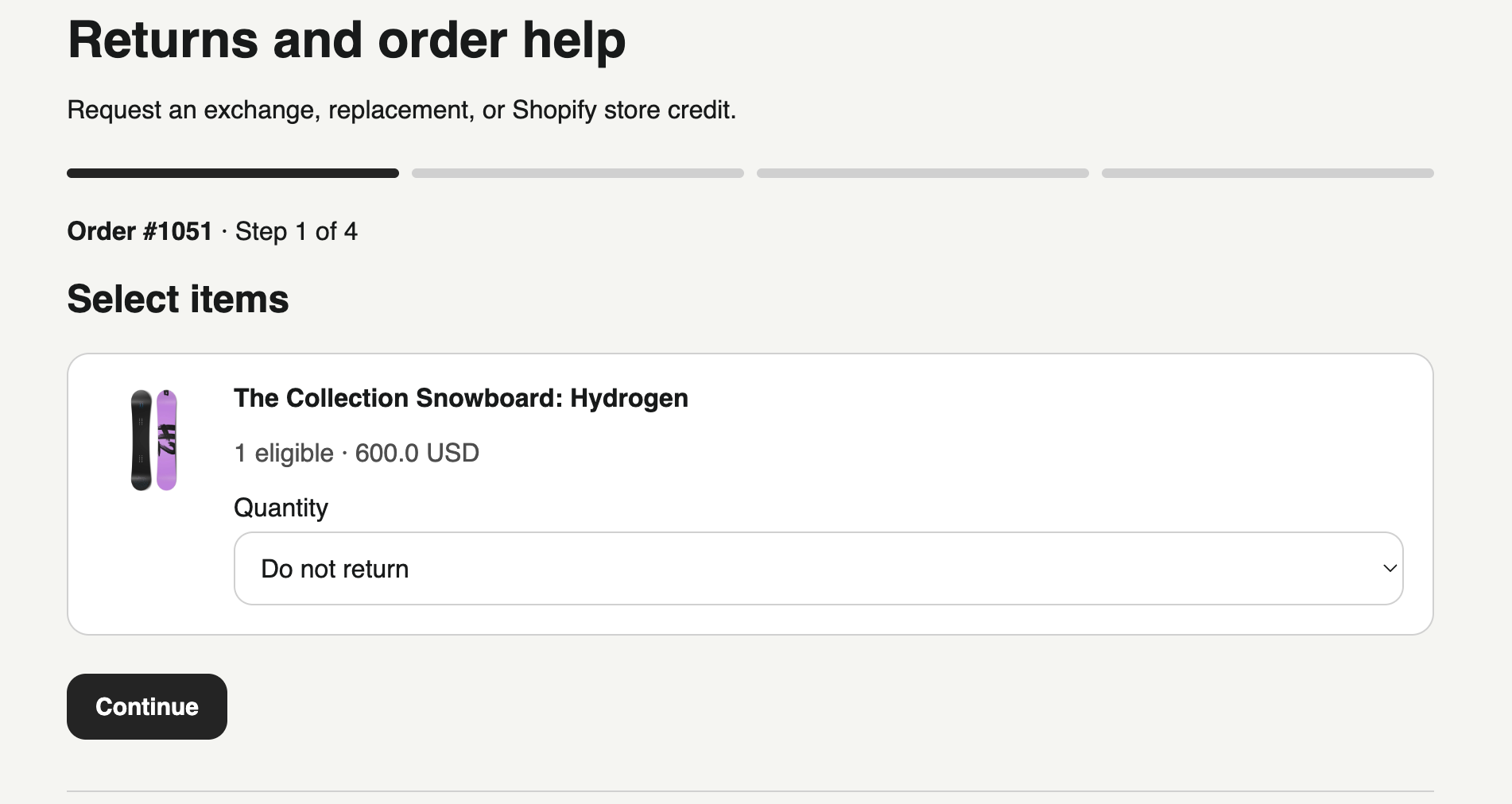
The portal reads eligible items from the order and guides the customer through a return, exchange, replacement, or store-credit request.
2. Merchant workspace
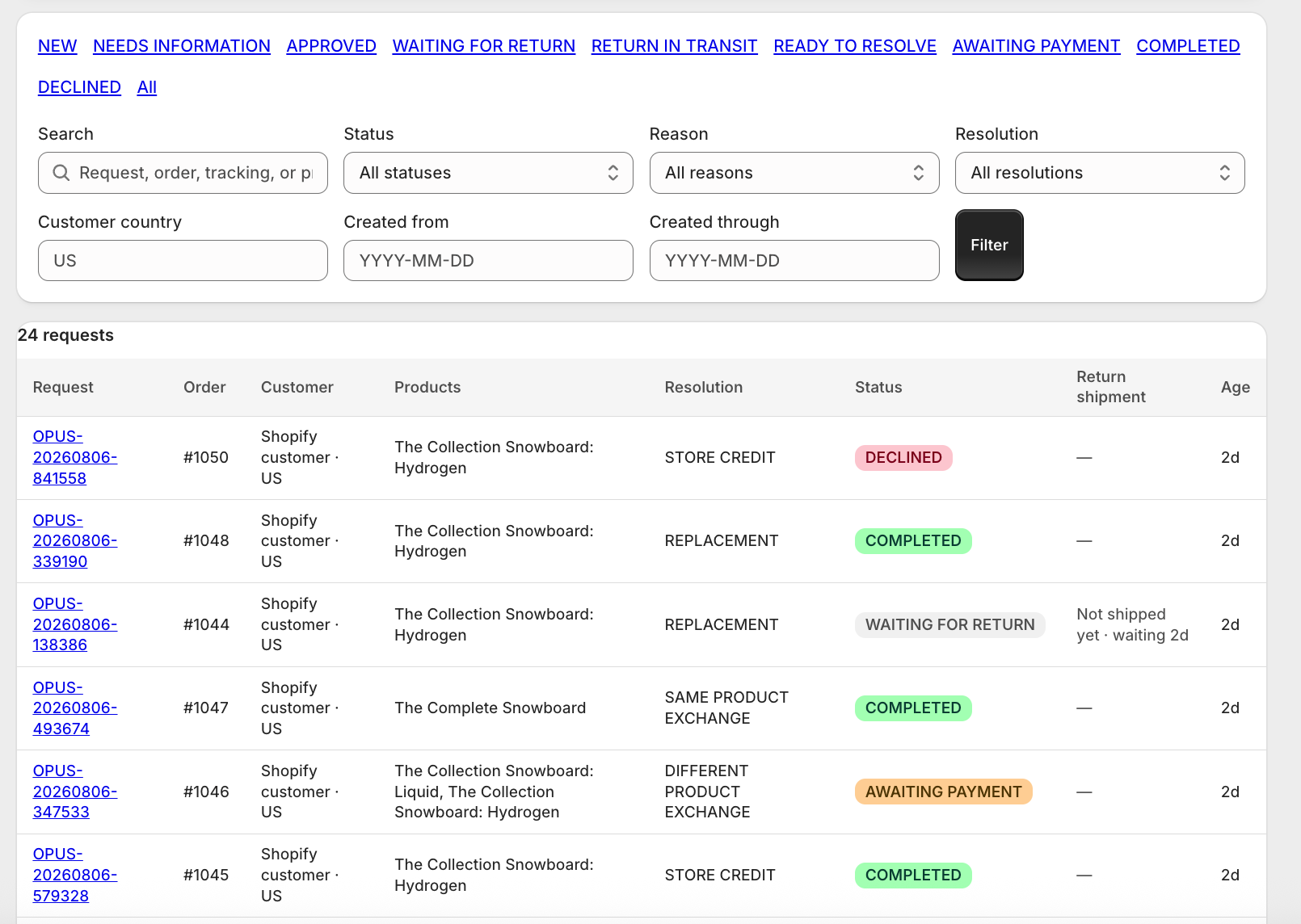
Filter by status, reason, outcome, country, or date instead of piecing together a return from email threads.
3. No-code setup
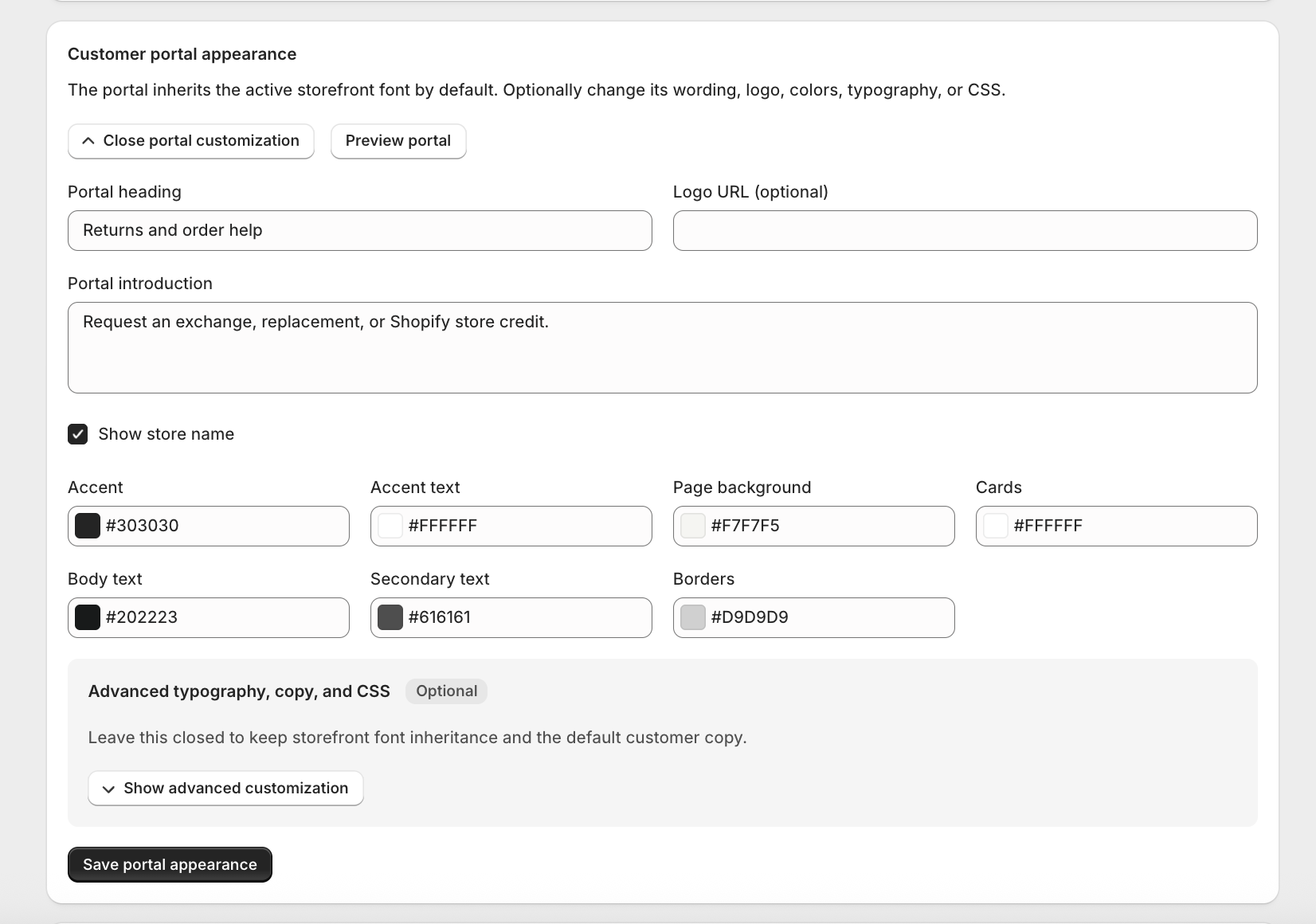
Change the wording, colors, logo, typography, and optional CSS from simple controls. The default setup works without custom code.
Founding 100
Every current Opus feature is free. Install it, run a test request, and keep it only if it makes returns easier for your store.