Process requests · 7 min read
Use the request queue and statuses
Find requests, understand every status, and identify orders that need action before customers wait too long.
Find the right request
Open Apps → Opus Returns & Exchanges → Requests. Filter by status, reason, resolution, customer country, or creation date. Search accepts an Opus request number, Shopify order number, tracking value, and other displayed identifiers.
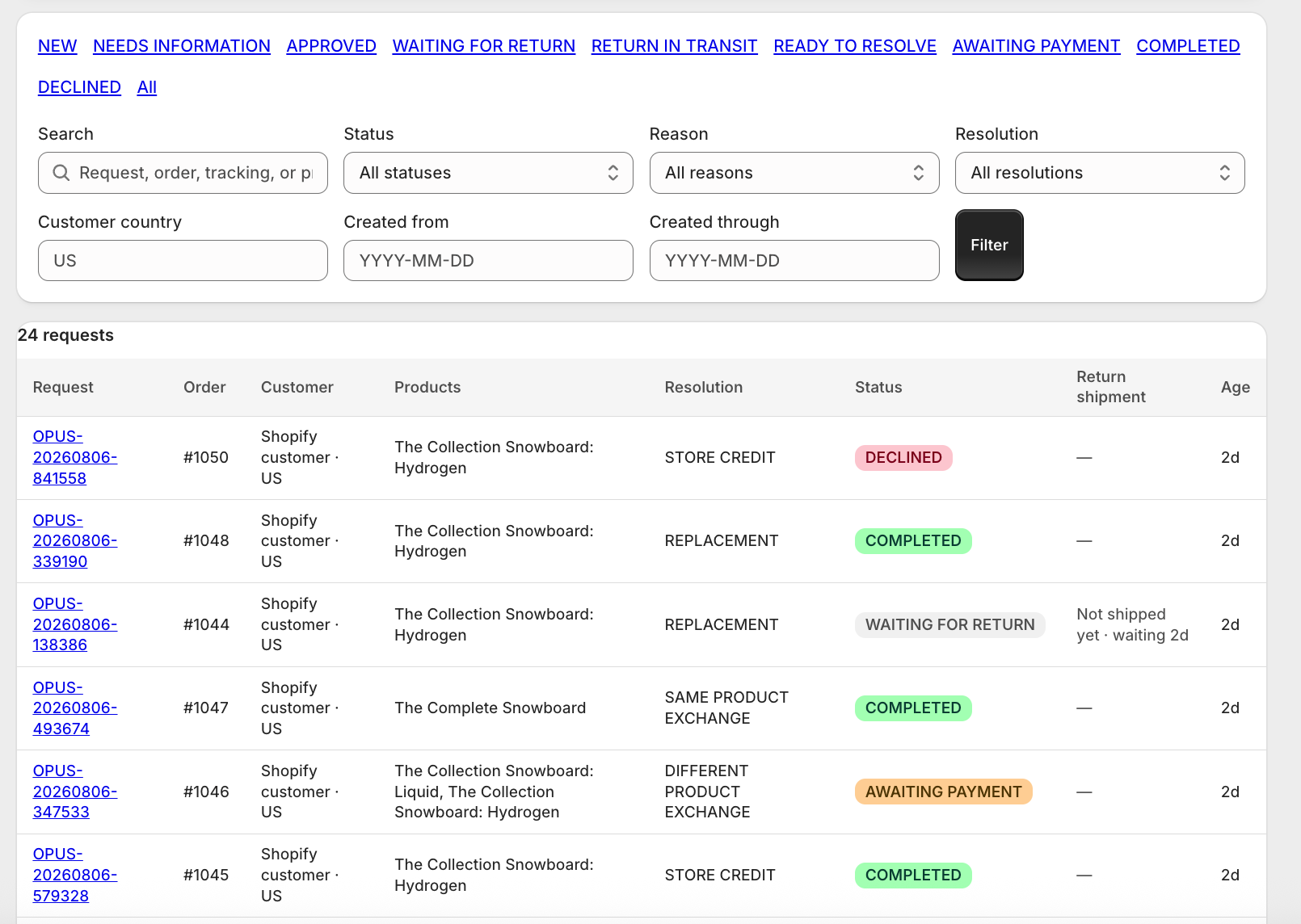
Status reference
| Status | Meaning | Merchant action |
|---|---|---|
| New | Customer submitted a request | Open and approve, change the outcome, or decline |
| Needs information | The request cannot proceed without clarification | Review the timeline and resolve the missing information |
| Approved | Approval was recorded | Usually transitions immediately to waiting or ready |
| Waiting for return | Customer has instructions but has not recorded shipment | Wait, or record carrier/tracking if staff receives it |
| Return in transit | Customer says the parcel was handed to a carrier | Monitor tracking and receive the package |
| Ready to resolve | Return is inspected or no return was required | Calculate the Shopify amount and complete the outcome |
| Awaiting payment | A higher-priced exchange still has a balance due | Wait for Shopify payment, then check and release |
| Completed | Shopify outcome succeeded | Fulfill any exchange or replacement order through normal operations |
| Declined | Merchant rejected the request | No financial or fulfillment outcome occurs |
Daily queue routine
- Start with New, Ready to resolve, Awaiting payment, and any red error or reconciliation banner.
- Check Waiting for return requests that have been idle longer than your normal customer shipping window.
- Use Return in transit to plan receiving work and verify carrier progress.
- Do not treat Completed as shipped. Exchange and replacement fulfillment can still require your normal Shopify fulfillment team.
Still stuck?
Send the details support needs
Include your shop domain, Opus request number, Shopify order number, approximate time, and the exact visible error. Never send passwords, access tokens, or card data.
Contact support