Process requests · 10 min read
Review, approve, change, or decline a request
Check the original order and customer evidence, prepare shipping before approval, and choose the correct outcome.
Review before acting
- Open the original Shopify order and confirm payment, fulfillment, prior refunds, and existing Shopify Returns.
- Read each requested quantity, reason, customer note, and evidence file.
- For exchanges, verify every returned unit has the intended replacement quantity and variant.
- Check the customer's price-difference preference, but make the final decision using your store policy.
- Read the timeline for previous staff actions and errors before pressing a consequential button.
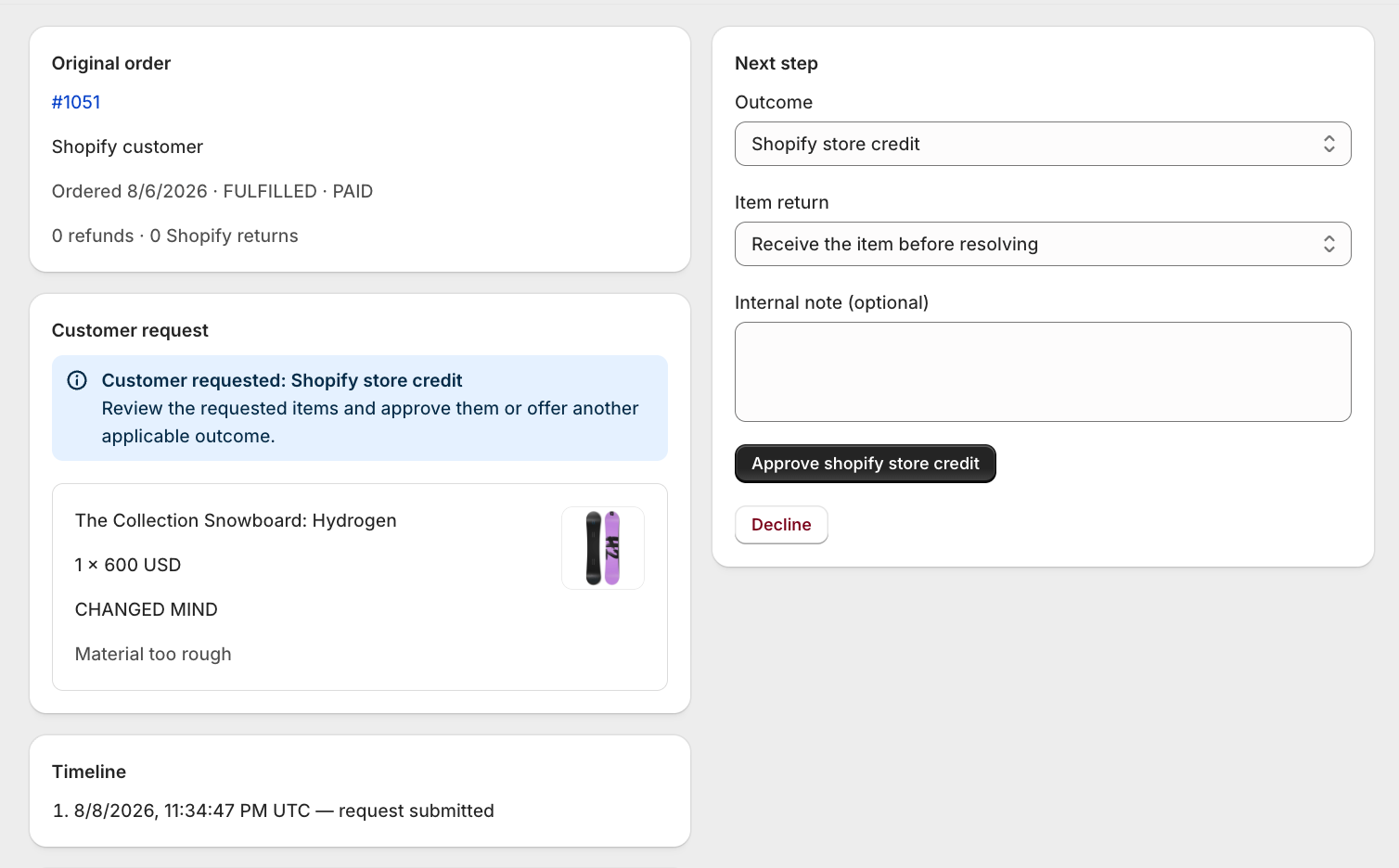
Approve the requested outcome
Prepare return shipping when required
Enter the exact customer instructions and return address before approval. If your policy says your store supplies a label, upload the prepaid label first.
Confirm the outcome and item-return choice
For non-exchange outcomes, choose Receive the item before resolving or Resolve without a shipment. A no-return exchange is treated as a free replacement, so the customer keeps the original item and no difference is collected or refunded.
Approve once
Opus creates the Shopify return request or advances to Ready to resolve. Shopify sends the customer decision notification using the customer attached to the order.
Offer another outcome or decline
Choose Offer a different outcome when the requested result is not appropriate but another supported resolution is. For a decline, enter a clear customer-facing reason and select Decline request. No refund, credit, exchange, or replacement is issued on decline.
Still stuck?
Send the details support needs
Include your shop domain, Opus request number, Shopify order number, approximate time, and the exact visible error. Never send passwords, access tokens, or card data.
Contact support